
Version 1.12 is out
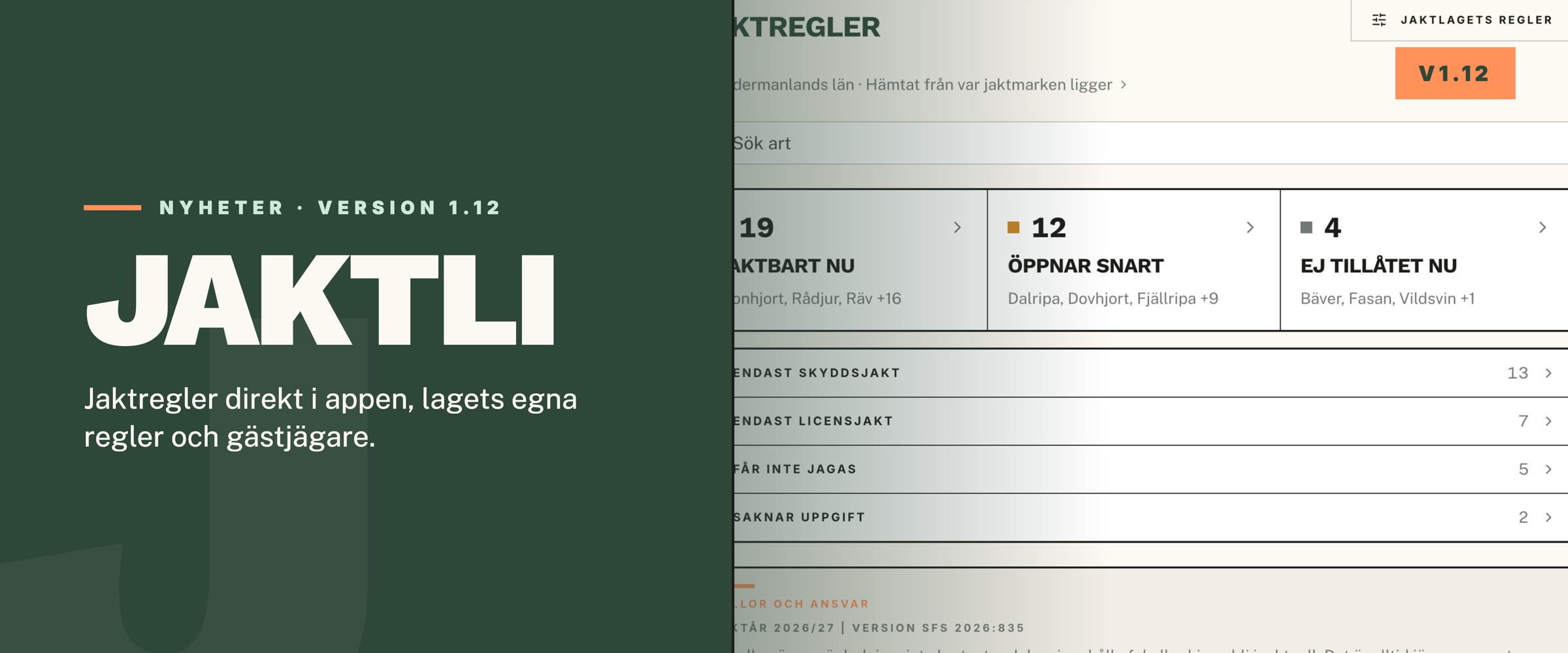
We have released version 1.12 of Jaktli. The biggest addition is Hunting rules, a table of what may be hunted right now in your county. The rest is mostly about staying in touch with the team: reaching each other quickly, answering invitations clearly, and seeing the dogs where you are already looking, on the team map.
Hunting rules for your county
The home screen has a new tile, Hunting rules. It shows which species may be hunted today on your ground, which open soon and which are closed, species by species and with the dates for your county. The app works out the county from the boundary of your hunting ground on the map, and an administrator can pick it manually in team settings if needed.
Bear, wolf and other species under licensed hunting show the county board's decision for your county: dates, quota and a link to the decision. Protective hunting under the hunting ordinance has its own group. The team can also close a species or shorten a season on its own ground, and that shows clearly in the table.
The calendar has a small dot on days when a season opens or closes. The table is guidance, not the law. At the bottom it says which hunting year it covers and links to the sources.
Call, text or save to your phone
A contact's or a team member's page now has a call button and a text message button. The app asks before dialing, so you never call by mistake.
Tap Save to phone contacts to get a filled-in contact card with name, number and email, ready to save in your phone's own address book. After that you can call from the car or your watch without opening Jaktli.
When you import a contact from your phone into the team you can now pick which number and email to keep, or skip a field entirely.
Decline a hunt
Every hunt in the calendar now has a Can't attend button, and any member can use it, not only those who were sent an invitation. Before, you could only accept or stay silent, and the hunt leader had to guess. Now it is clear who is coming and who is not. You can change your answer later if plans change.
Your dogs on the team map
The separate My Dogs map is gone. Instead, your dogs show on the team map all the time, even when no hunt is running. No more switching maps to see where the dog is. This applies to dogs with a tracker registered in Jaktli, today a Garmin collar (beta).
At the bottom of the map there is a small tab with the number of dogs. Tap it to unfold a strip with a card for each dog: distance, direction, status and battery when the tracker reports it. Fold the strip away again when you want the whole map, the app remembers how you left it.
Hold a dog in the strip, or tap Follow on a dog's or hunter's card, and the map follows them. Handy when you are on your stand watching the drive move. Tap a dog in the hunt sheet and the map moves there.
Add to the map during the hunt
Stands, areas, lines and text can now be added in the app while a hunt is running, just like on the web. If you notice a missing stand in the morning, nobody has to wait until the hunt ends to put it in.
Photo and shot location in the harvest log
Each animal in the harvest log can now have a photo and a shot location. An animal that comes from a live hunt inherits the photo and position from the hunt automatically. Tap Show on map to open the spot on the team map.
An animal deleted from the harvest log now stays deleted. It used to come back after a hunt.
Guest hunters are free
The Guest hunter role now has a clearer meaning. A guest hunter is a member of the team but sees only the team map, the hunts they are invited to and the chats that belong to them. During a live hunt they can log observations and share their own dogs. Nothing else.
That is why a guest hunter takes no paid seat. You can invite as many guest hunters as you like, even when every seat is in use. If you later want to make a guest hunter a regular member, a free seat is needed.
Trail cameras
The camera's description can be edited straight from the camera page. Sharing from Molnus works without anyone having to confirm a link first.
Garmin dog tracking (beta)
Collars now show outside a hunt too. The app listens to every paired watch, not just one. Collar names come from the Alpha handheld, so the dogs are named correctly from the start. The tracker page shows the watch app version, and the collar's battery shows on the status line. The watch app has also been updated in Connect IQ.
On the web
Team documents can now be uploaded several at a time. Drag in files or a whole folder and the folder structure is kept. Lines on the map can have a colour and thickness of your own that only you see, the same as areas. When you create or edit a line you can now also pick the team's colour for it. Under Manage map objects you can change the type or colour of many objects at once. An administrator can delete the team from team settings. Regular members could not open the page for creating a calendar event; that is fixed. The start page has a new look and a new logo.
Let us know if anything is off. We read all feedback.